Final Year Project · SETU 2026

Your whole team,
one app.

StaffCentral brings employee records, group management, and an internal support desk together into a single desktop app — no subscription juggling required.

Built by Tommy Levasseur  ·  Java + JavaFX  ·  PostgreSQL on Supabase
StaffCentral admin dashboard
What is it?

A bit like HR software,
a bit like a helpdesk

Most small organisations end up running three or four different tools just to manage their people and handle support requests. StaffCentral rolls all of that into one desktop app that isn't overkill to set up.

Employees get a clean view of their own profile, groups, and tickets. Admins get the full picture — every employee, every group, every ticket, and a complete audit trail of everything that's happened.

Employee records Role-based access Group management Support tickets Audit trail Notifications
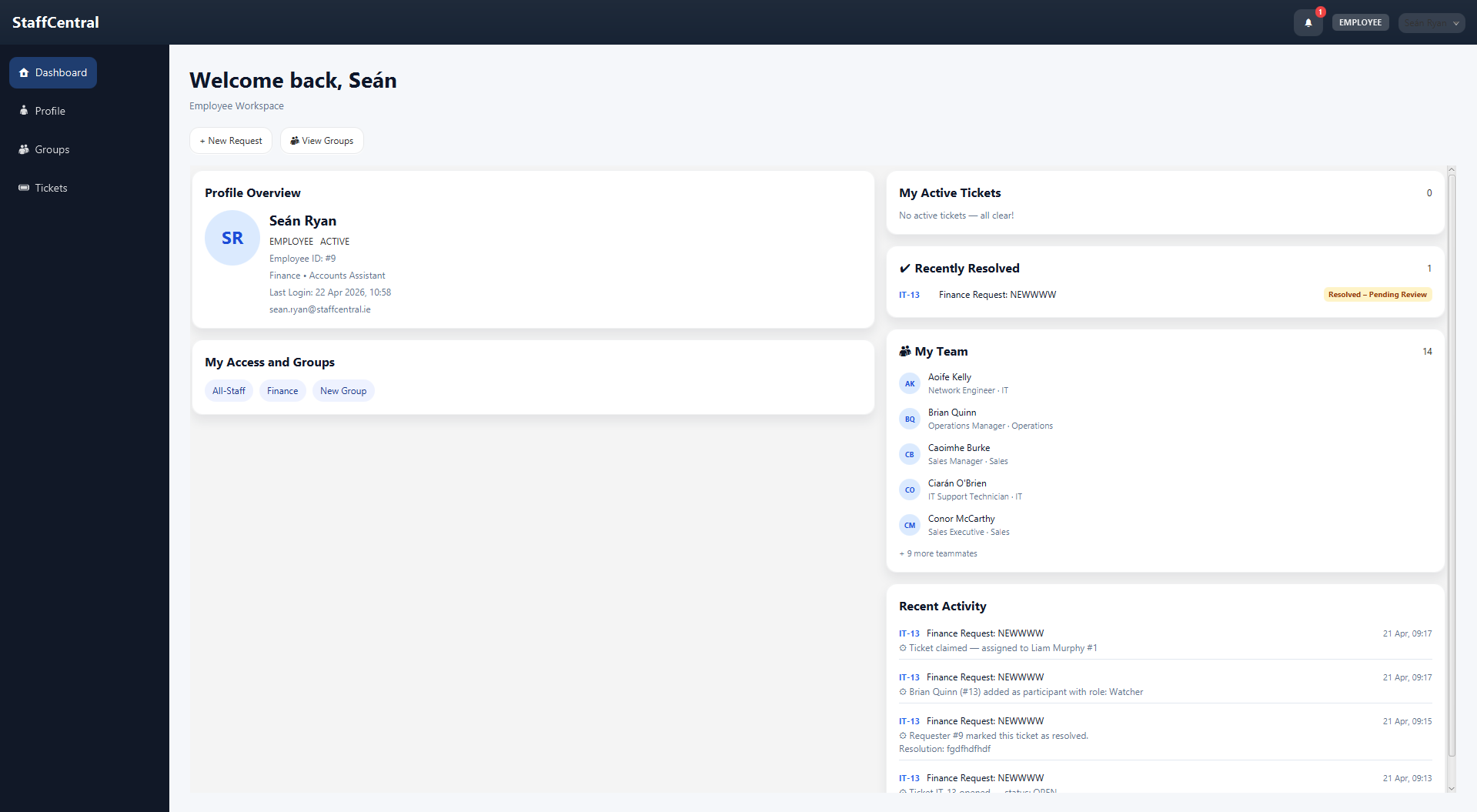
Employee dashboard showing profile overview, groups and team
Features

What you actually get

Here's everything the app covers — from the moment an employee joins to the moment a support ticket gets closed.

👥

Employee management

Admins can create, edit, and deactivate employee accounts. Each person has a profile with their department, position, and supervisor.

Bulk import from Excel spreadsheets Temporary passwords for new staff Force password change on first login
🔐

Two roles, two experiences

Regular employees see their own stuff. Admins see everything. The sidebar and available actions adjust automatically based on who's logged in.

Admin-only views completely hidden from employees Role checks happen at the action level too, not just the UI
🏷️

Groups & teams

Organise employees into groups with a designated supervisor. People can see which groups they belong to from their profile.

One employee can be in multiple groups Admins manage all groups and memberships
🎫

Support tickets

Staff raise support tickets and track them from open to resolved. Admins assign, prioritise, and move tickets through the workflow.

Comment threads with internal admin-only notes Priorities P1–P4 (critical down to low) 11 states covering every real scenario
🔔

Notifications

When your ticket moves to a new state or gets assigned, you get an in-app notification. No email, no external tools needed.

Read / unread tracking per user Links directly to the relevant ticket
📋

Audit log

Every admin action gets recorded — who did what, and when. It's permanent and can't be edited, so there's always a clear trail.

Covers provisioning, group changes, ticket actions Admins can search and filter the log
Screenshots

A look inside

Dark sidebar, light content area, clean cards. The app looks the same whether you're an employee or an admin — just with more in the menu.

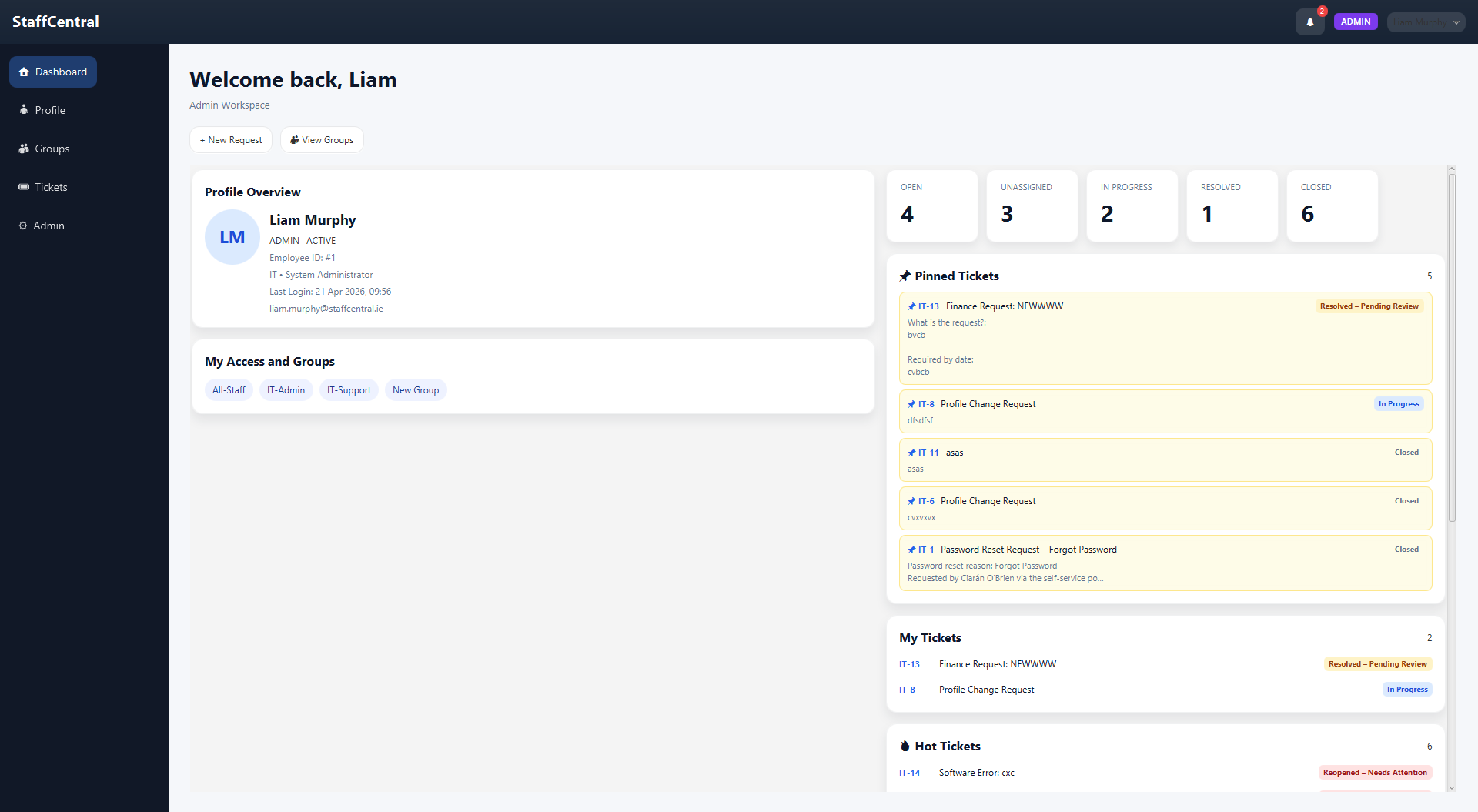
Admin dashboard showing ticket stats and pinned tickets
Admin dashboard — ticket stats, pinned tickets, and hot items at a glance
Employee dashboard showing profile, groups and team
Employee view — personal profile, group memberships, and team overview
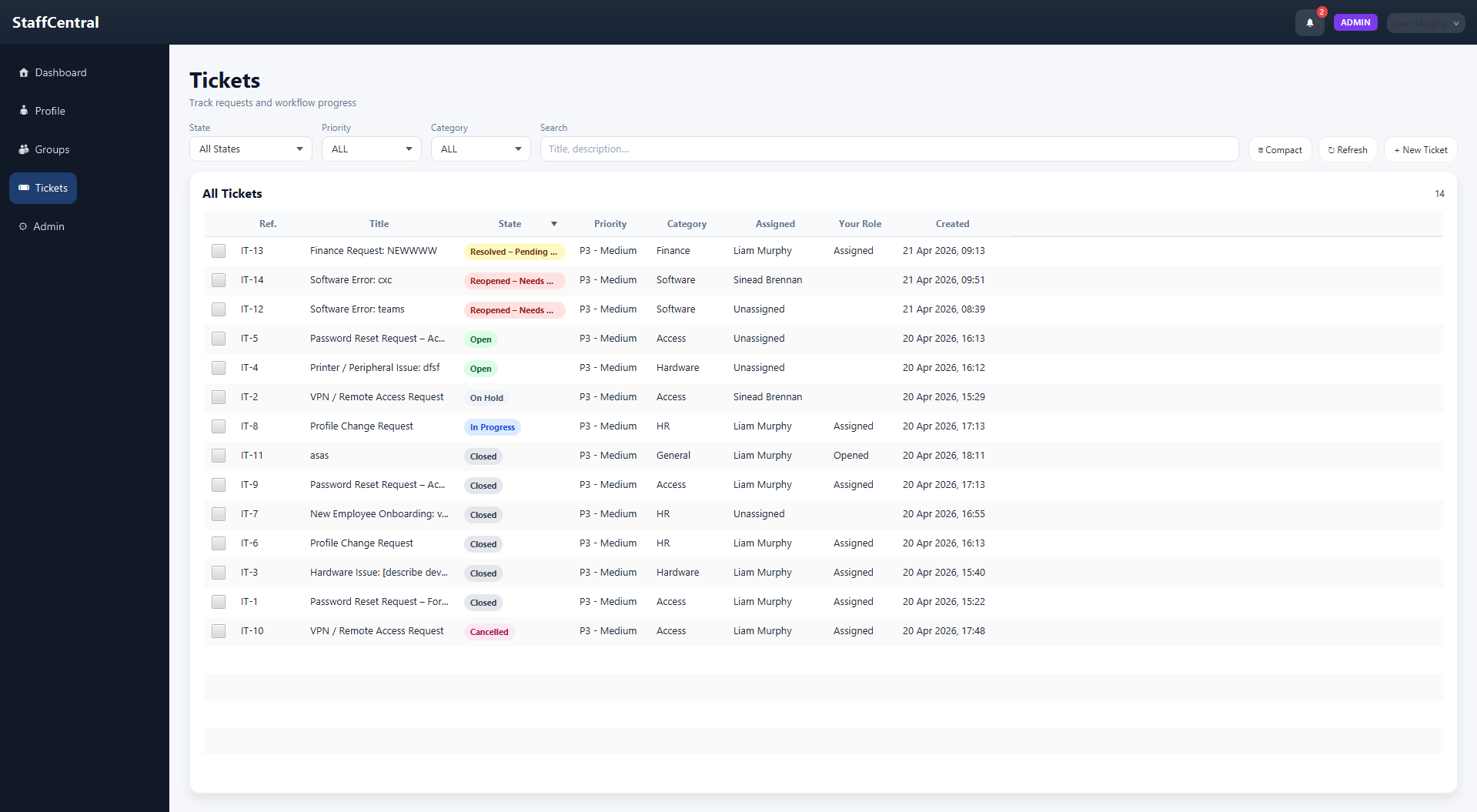
Ticket list showing all tickets with state and priority filters
Ticket queue — filterable by state, priority, and category
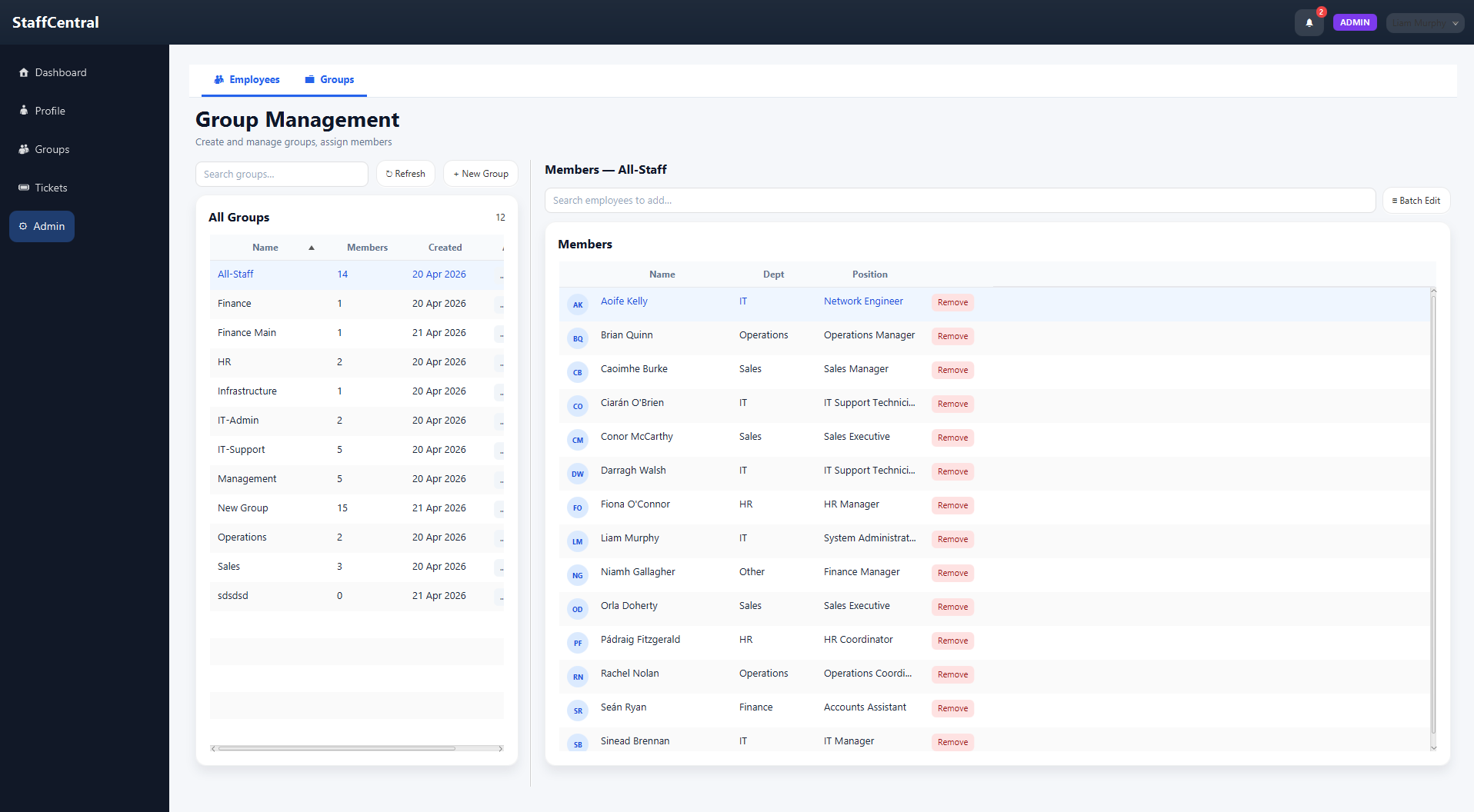
Group management showing group list and member assignment
Group management — create groups and manage who's in them
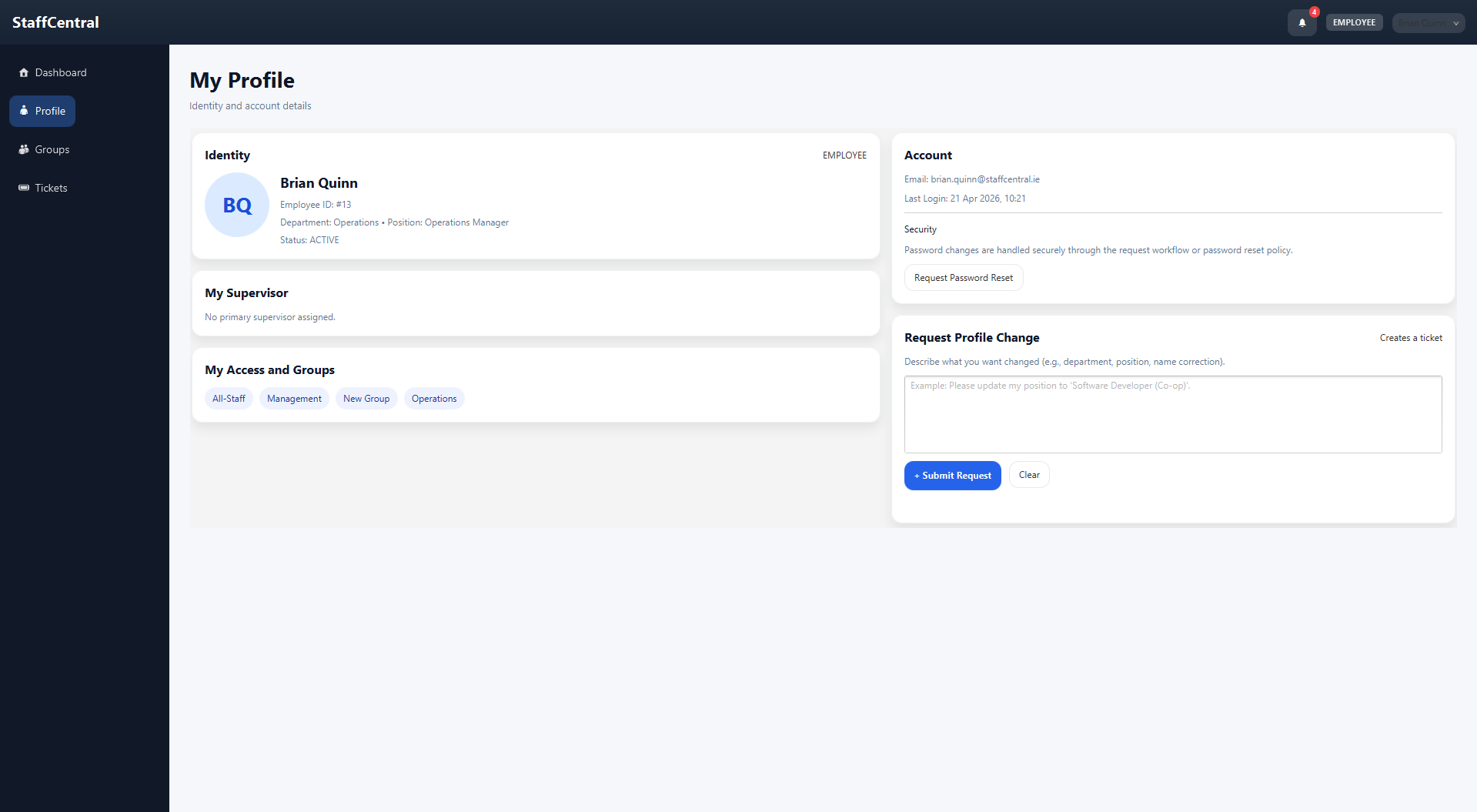
Profile tab showing employee details and account info
Profile tab — employee profile details and account info
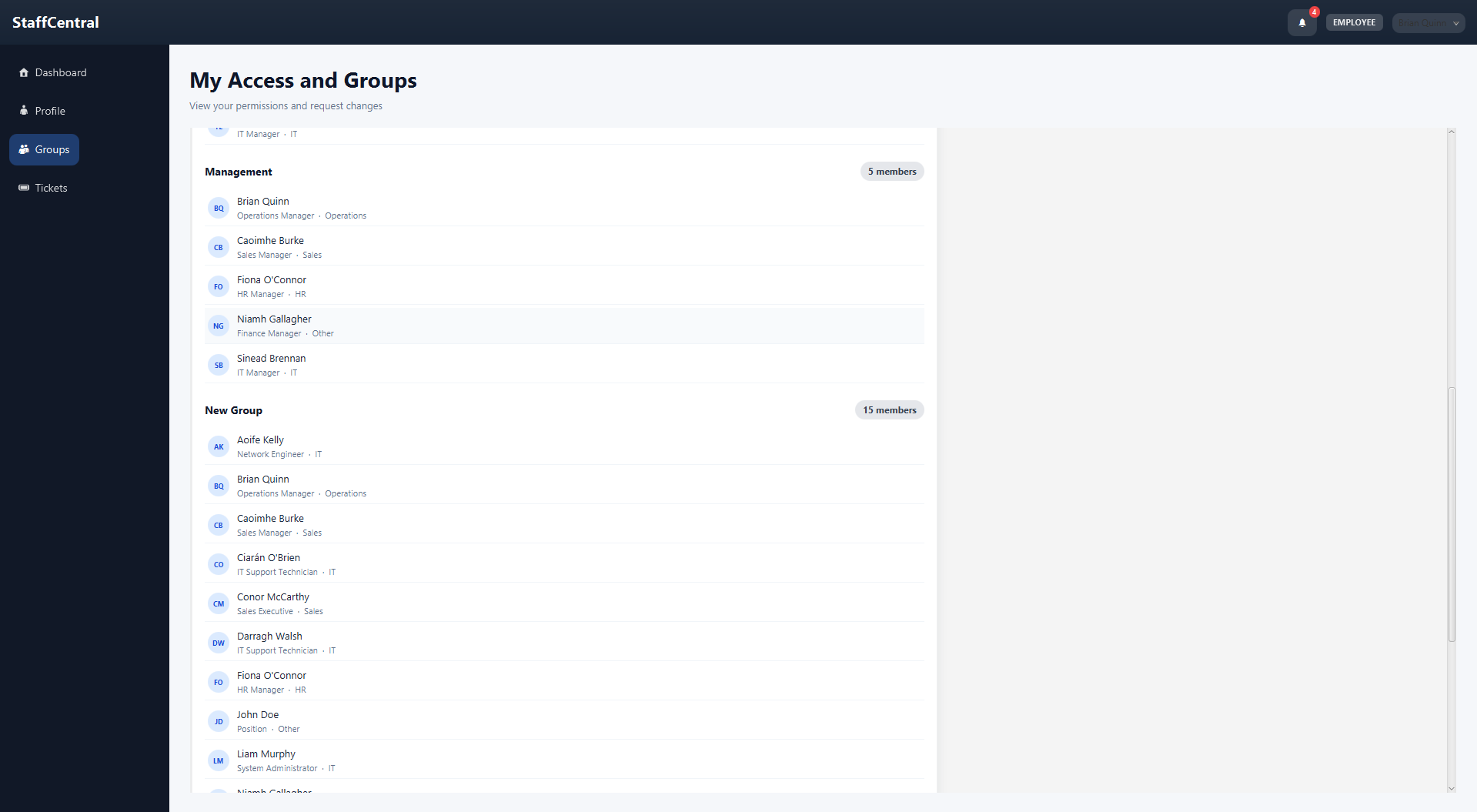
Groups tab showing group memberships
Groups tab — group memberships from the employee's perspective
The ticket system

Every stage of a support request

Tickets move through states as work progresses. There's a state for pretty much every situation — including getting stuck waiting on someone else.

Open In Progress Resolved Closed
Also: Acknowledged Waiting — Customer Waiting — 3rd Party Reopened On Hold Cancelled
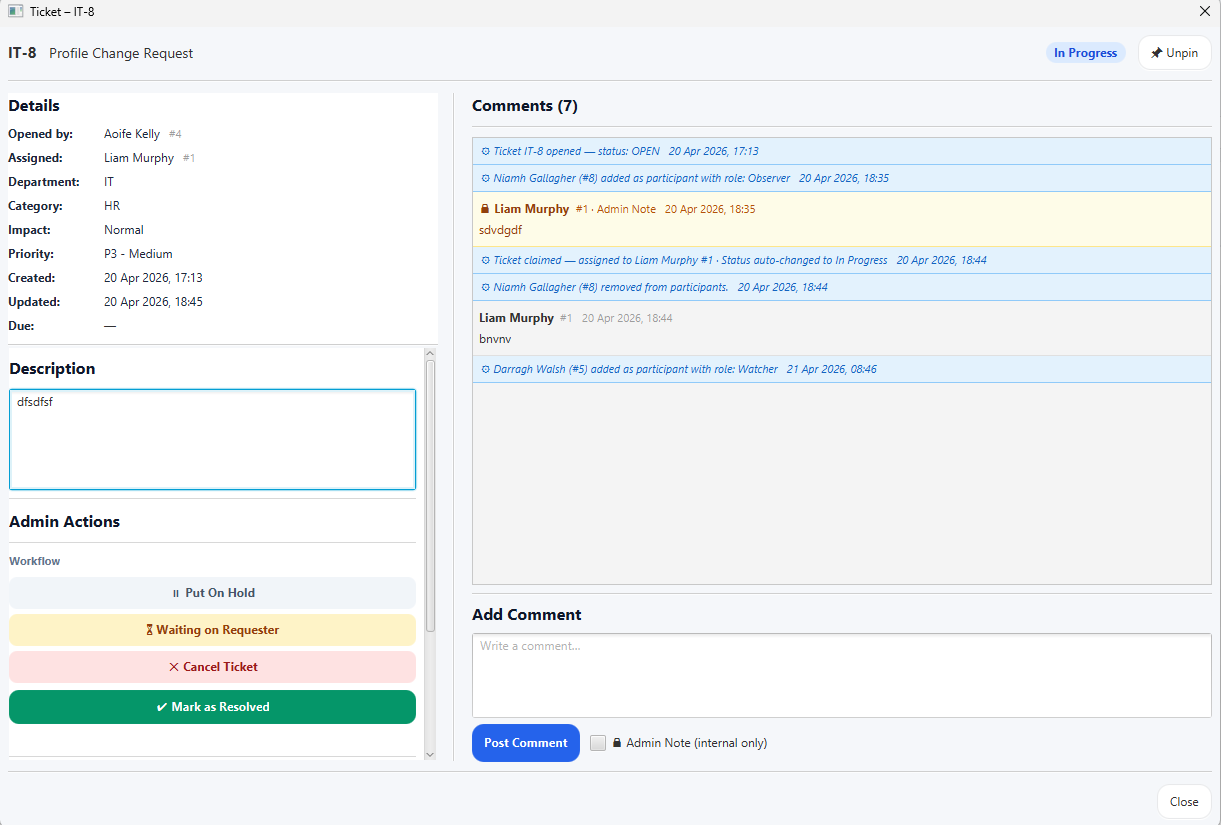
Ticket detail view showing description, status and comments
Ticket detail — full view of a ticket with description, status history, and comment thread
Priority levels
P1
Critical
Something's down. Drop everything.
P2
High
Significant impact, needs attention soon.
P3
Medium
Annoying but not on fire. Normal queue.
P4
Low
Nice to fix when there's time.
Security

Secure by default,
not by accident

Security wasn't an afterthought. Passwords are hashed properly, sessions live only in memory, and role restrictions are enforced at multiple levels — not just hidden behind a button.

🔑

Passwords are hashed with BCrypt

No plaintext passwords anywhere. BCrypt is deliberately slow, making brute-force attacks expensive. New staff get a one-time temporary password that forces a change on first login.

💾

Sessions only exist in memory

Nothing sensitive gets written to disk. Once you log out, your session is gone completely — no tokens, no cached credentials left behind.

🛡️

Role restrictions at every level

Admin-only features aren't just hidden in the UI — they're blocked at the action level too. Even if something were misconfigured in the interface, the operation itself would still be denied.

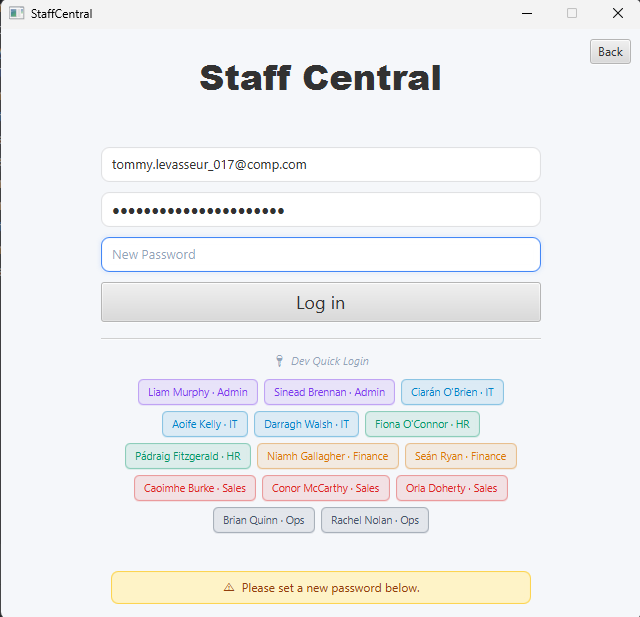
Mandatory password change screen shown on first login

The mandatory password change screen — shown automatically on first login or after an admin reset.

Built with

The tech behind it

Java 22
🖼️ JavaFX 22
🐘 PostgreSQL 16
Supabase
🔐 BCrypt
📊 Apache POI
📦 Maven