A Django-based tool that lets researchers and security teams run realistic phishing campaigns in controlled, ethical environments — then immediately teaches participants what they missed.
The platform runs the full lifecycle of a phishing awareness exercise from one place — template design, target management, scheduled delivery, live behaviour tracking, risk profiling, and immediate post-click training.
Campaigns can pair any of five realistic cloned login pages (Google, Microsoft 365, DocuSign, OneDrive, IT Helpdesk) with customisable HTML email templates that support variable substitution, sender spoofing, and randomised send windows. DocuSign even routes to a fake Microsoft sign-in via a federated flow that preserves the tracking session across pages.
Every click is captured with device, OS, and browser detection. A risk score from 0–100 is calculated per participant, weighted across click behaviour, time-to-click, scenario difficulty, and positive reporting behaviour — the latter reduces a participant’s score, because the tool rewards people who spot the phish.
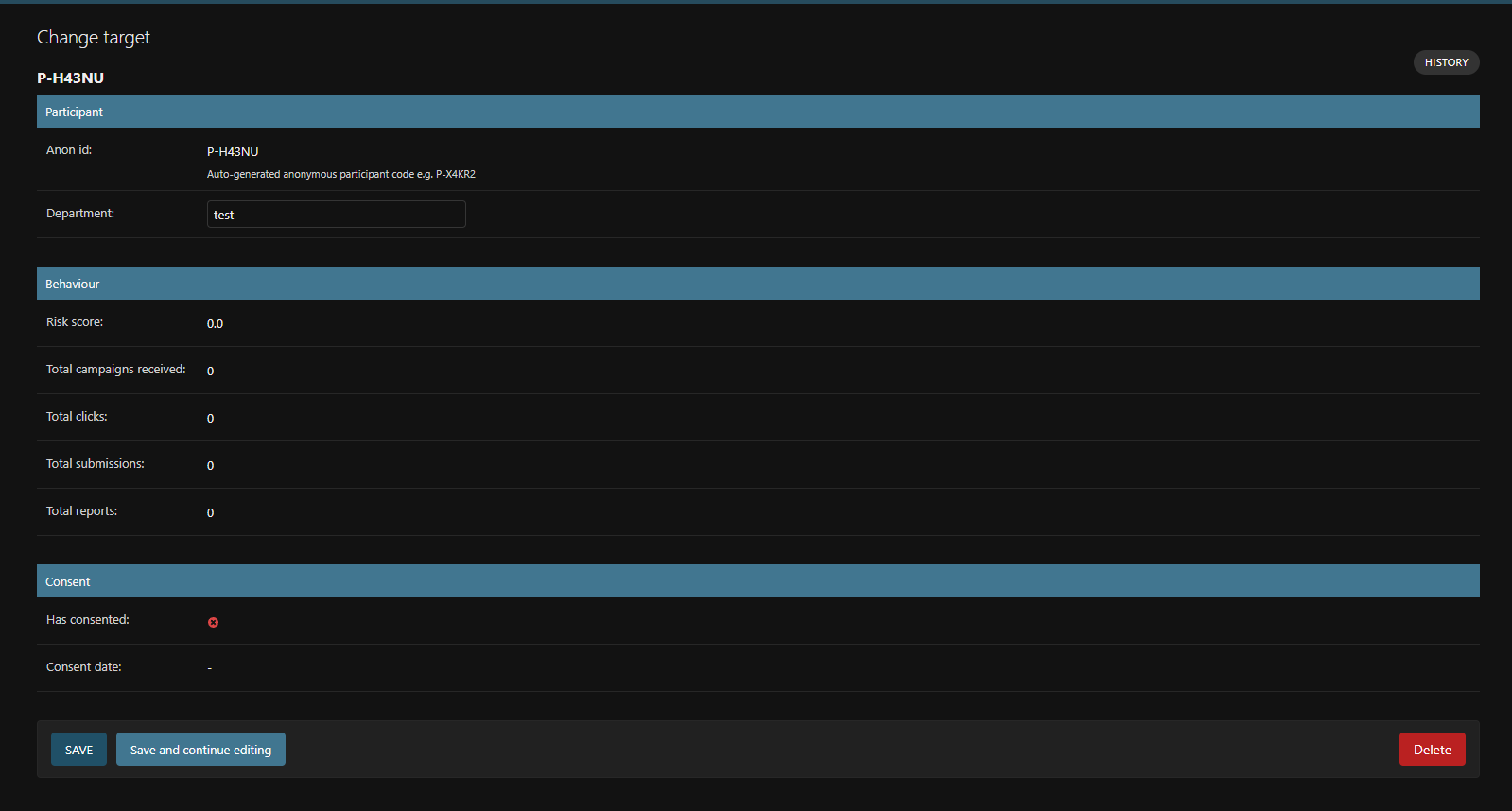
Every participant is assigned a permanent anonymous identifier (P-XXXXX) —
no name, email, or PII ever appears in the dashboard. Informed consent and consent-withdrawal flows are
built into the tool itself. No submitted credential is ever persisted to disk; only the fact of submission
is recorded. Post-submission training is automatic and immediate.
A quick survey of what’s inside:
Create, schedule, and launch phishing campaigns with Celery-backed randomised send windows (up to four hours) to avoid obvious batch patterns.
Google, Microsoft 365, DocuSign, OneDrive and IT Helpdesk — each with authentic two-stage flows matching real 2026 provider designs.
DocuSign offers “Continue with Microsoft” and hands the target off to a fake Microsoft login while preserving the same tracking session.
Open via 1×1 pixel, click with device/OS/browser detection, form capture, and training completion — every event logged.
Weighted algorithm: click behaviour 50%, time-to-click 15%, scenario difficulty 15%, positive reporting 20% (reduces risk).
Every target gets a permanent P-XXXXX identifier. No PII visible anywhere in the researcher dashboard or admin panel.
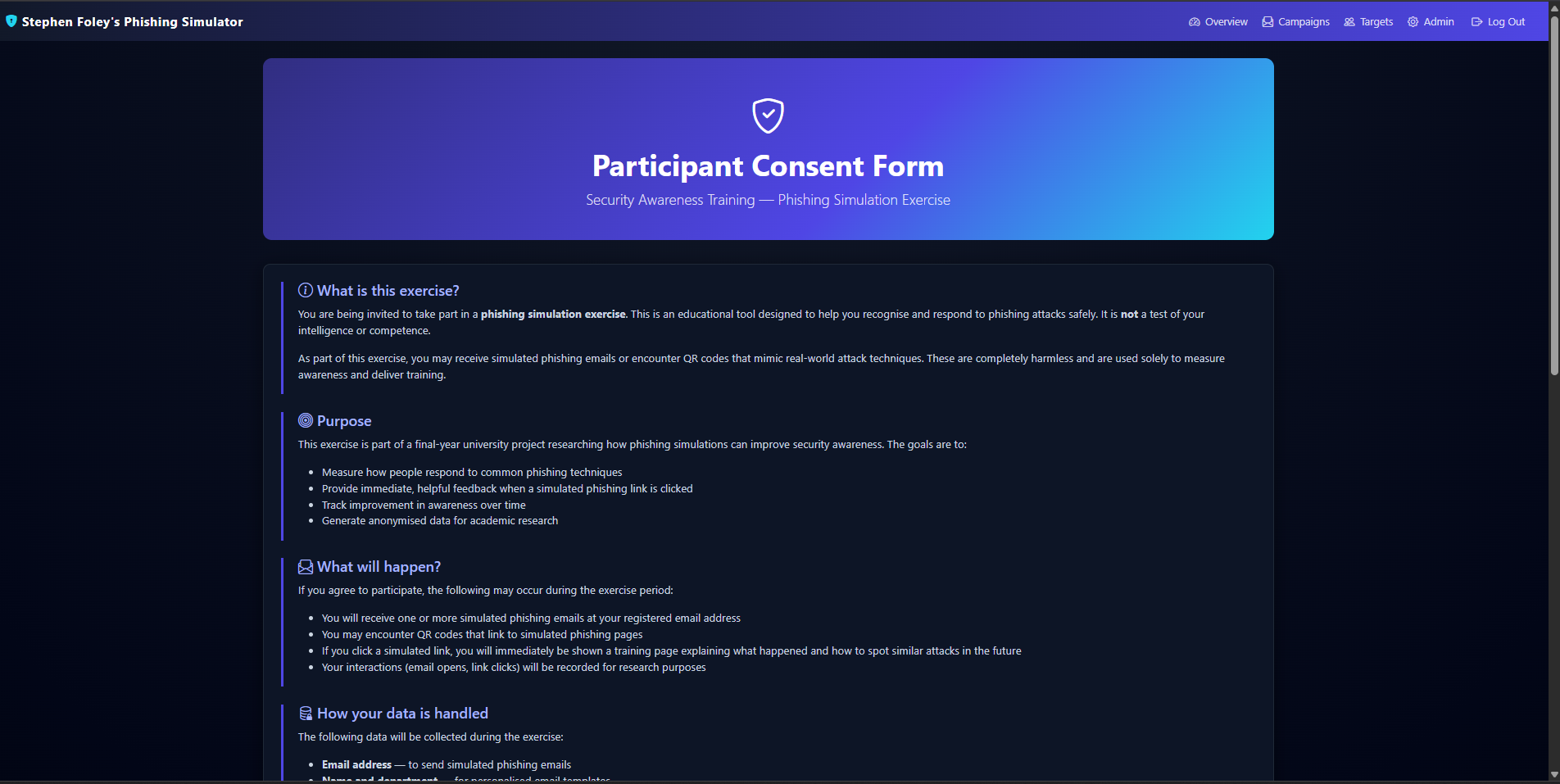
Consent form, confirmation page, and consent-withdrawal flow built into the tool — designed to support GDPR requirements.
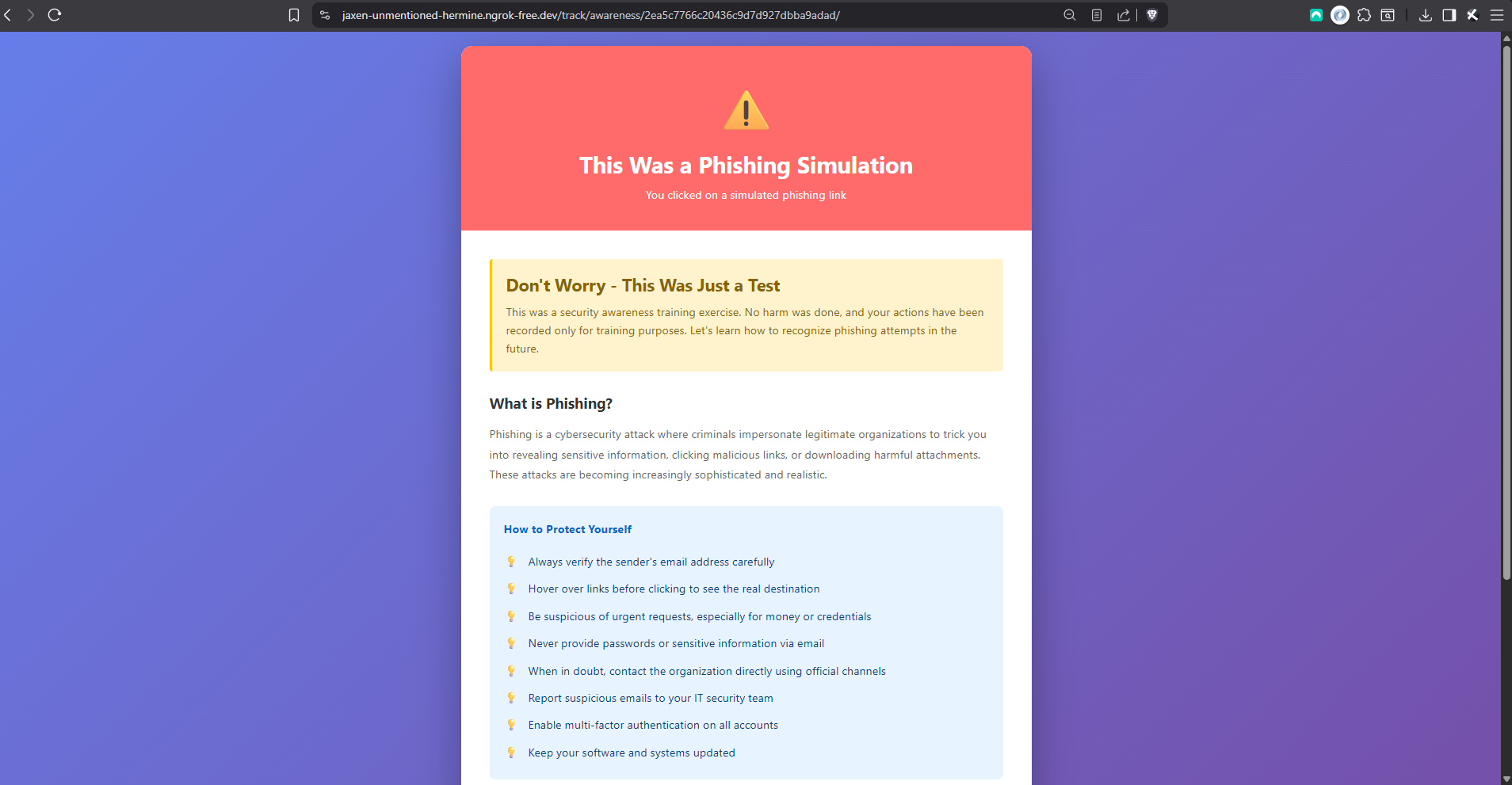
Submit credentials and you’re immediately redirected to scenario-specific training highlighting the red flags you missed.
Auto-generated QR codes with device-specific redirects — different URLs for mobile and desktop scanners.
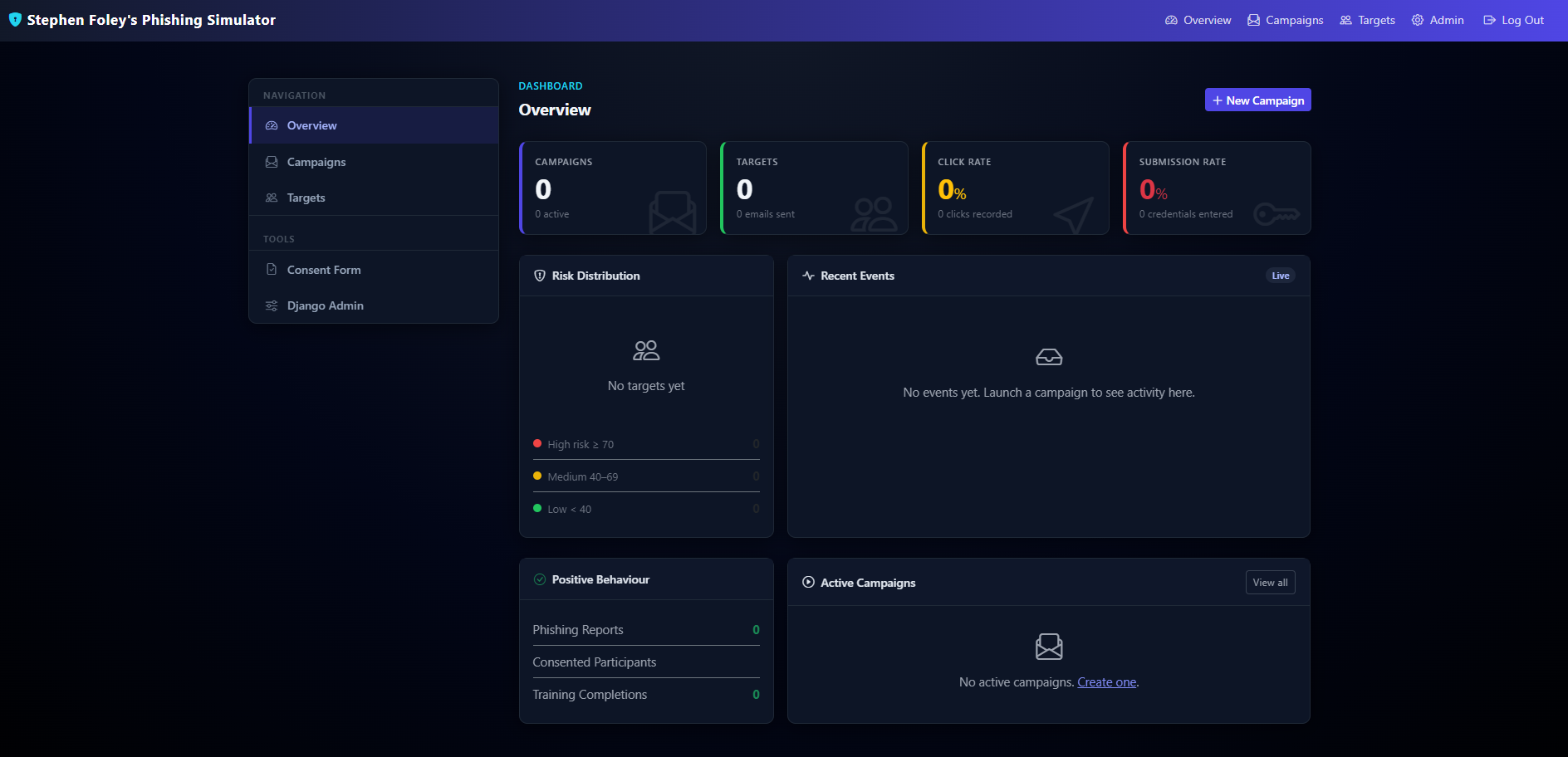
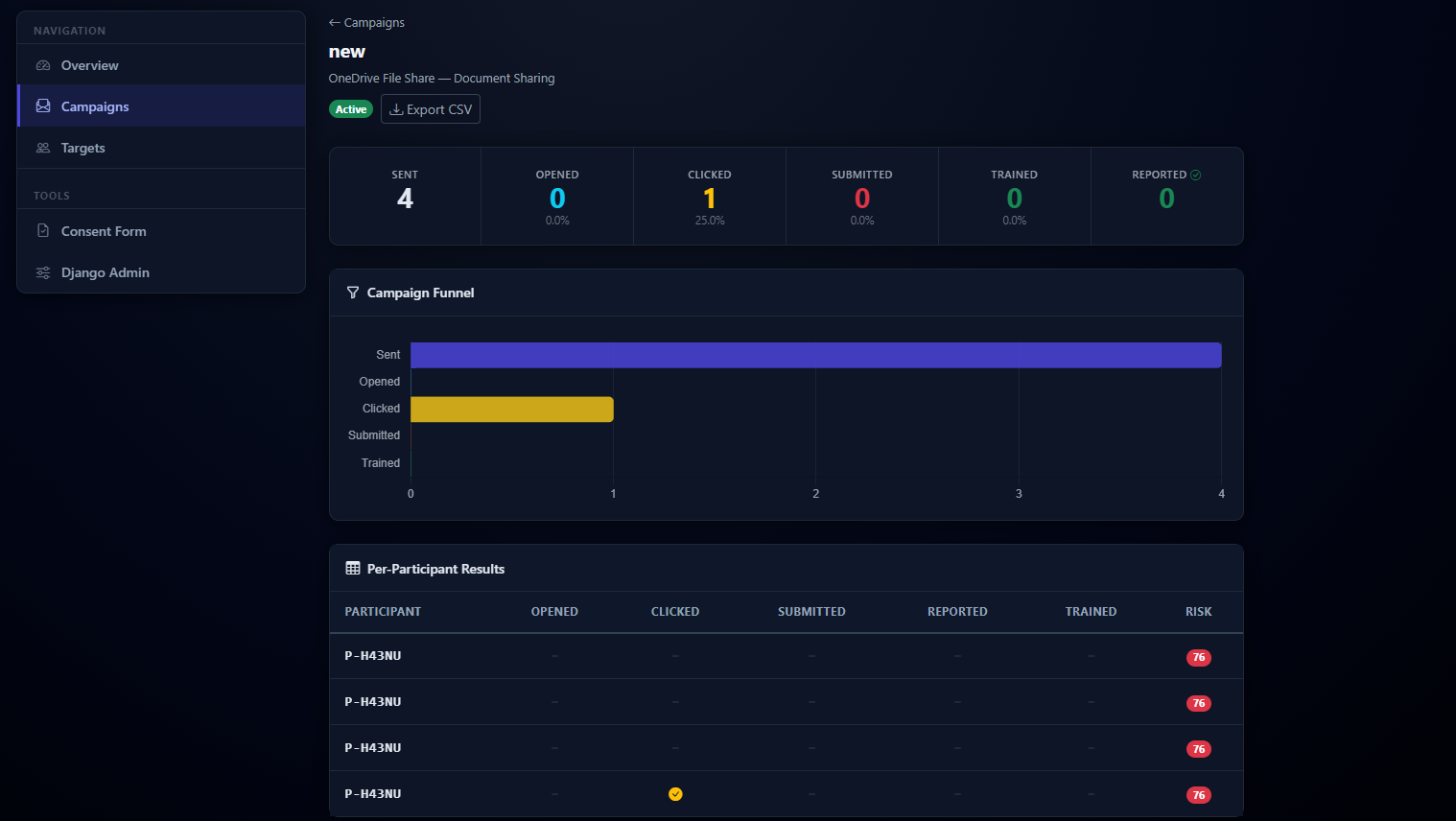
Live event feed, risk distribution charts, campaign funnels (sent → opened → clicked → submitted → trained).
Bulk target import with group assignment, and CSV export of campaign results and risk reports for researchers.
Coverage across models, utilities, tracking views, landing-page routing, federated flow, and CSV import.
Real screenshots of the platform.
No exotic dependencies, no framework-of-the-month. The technology choices are conservative on purpose — a final-year project is a place to demonstrate depth on mainstream tooling, not to chase novelty.
Five things I now know because I built this project, and wouldn’t know in the same detail otherwise.
The first time I ran the full test suite, every HTTP test failed.
SECURE_SSL_REDIRECT=True
was silently redirecting the test client to HTTPS, stripping POST bodies. The fix — a dedicated test_settings.py module — taught me that test environments need carefully controlled configuration that’s independent of production.
The injection script that turns cloned HTML into live phishing pages relies on stopImmediatePropagation() at the capture phase to intercept form submissions before the page’s own JS sees them. Making the two-stage login flow work required understanding that <button> and <a> tags behave completely differently under event interception.
The anonymous P-XXXXX identifier system, the consent flows, the decision to never persist submitted credentials, the automatic training redirect — these all came out of thinking about the ethics before writing the code. Retrofitting any of them later would have meant schema migrations and rewrites.
The prefork process pool doesn’t exist on Windows at all. The fix is a single flag (-P solo), but discovering it meant reading through Celery’s source to understand what wasn’t being loaded. The randomised send-time feature on top of that taught me about distributed task queues, message brokers, and persistent beat scheduling.
Relational modelling with Django ORM, REST API design with DRF, server-side templating, client-side JavaScript injection, HTML and CSS for five cloned sites, MIME multipart emails with inline QR images, Docker containerisation. No individual piece was hard; making all of them work together was the work.
A small controlled test with consenting participants, using the DocuSign scenario with the federated Microsoft sign-in flow.
Most participants recognised the email as phishing and didn’t click. One clicked out of curiosity but backed out before submitting; one went all the way through and saw the training page immediately. The full end-to-end pipeline — pixel tracking, click capture, session handover to the Microsoft page, form submission, risk scoring, automatic training redirect — worked under real user sessions, not just Django’s test client.
The sample is far too small to draw behavioural conclusions from. That wasn’t the point. The test was there to verify that the platform holds up outside an automated test harness, and to check that the ethical design decisions — instant disclosure, no stored credentials, anonymous identifiers — actually worked the way they were supposed to when a real person got caught. They did.