Project Overview
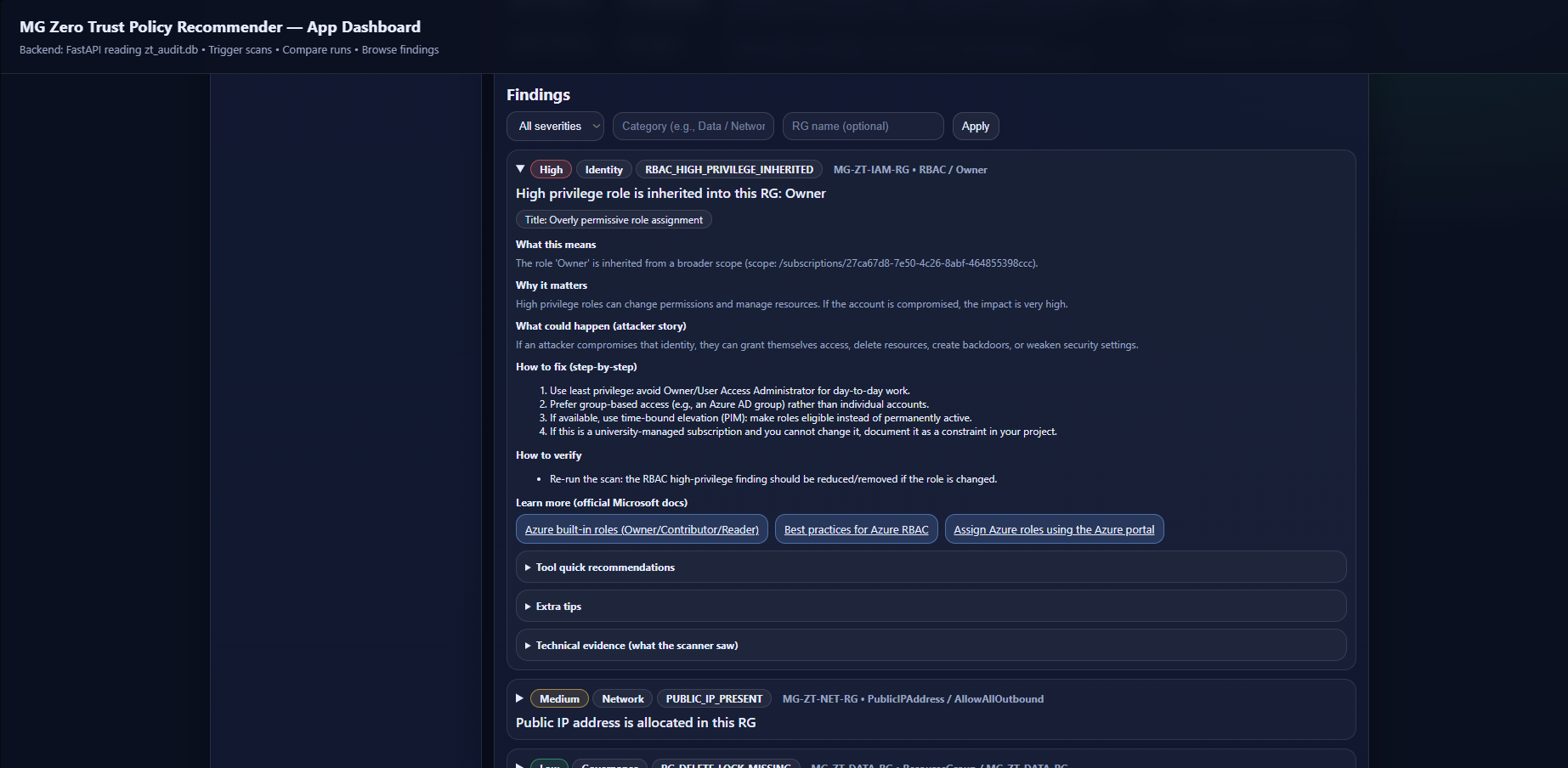
MGZT scans Azure Resource Groups for common security misconfigurations aligned with Zero Trust principles. It produces findings with clear explanations (what / why / attacker impact / fix steps / verification) and links to official Microsoft documentation. Each scan is saved into a SQLite database so the user can compare runs and track improvement over time.
- Scanner: Python + Azure SDK checks
- Audit trail: SQLite scan history
- Dashboard: FastAPI backend + frontend UI
Architecture
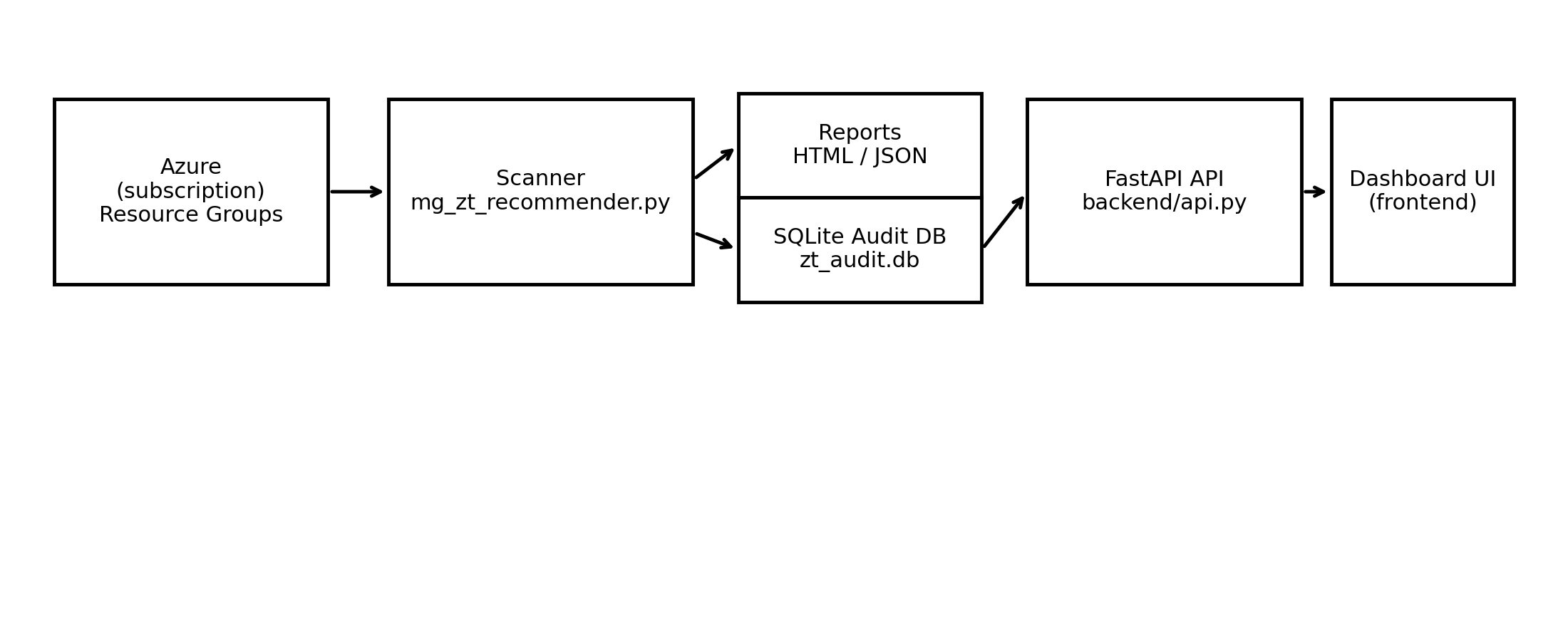
MGZT uses a local-first pipeline: a Python scanner collects Azure configuration data and generates findings, writes each scan into a SQLite audit database, and a FastAPI backend serves the dashboard which reads from that database.
Key Results
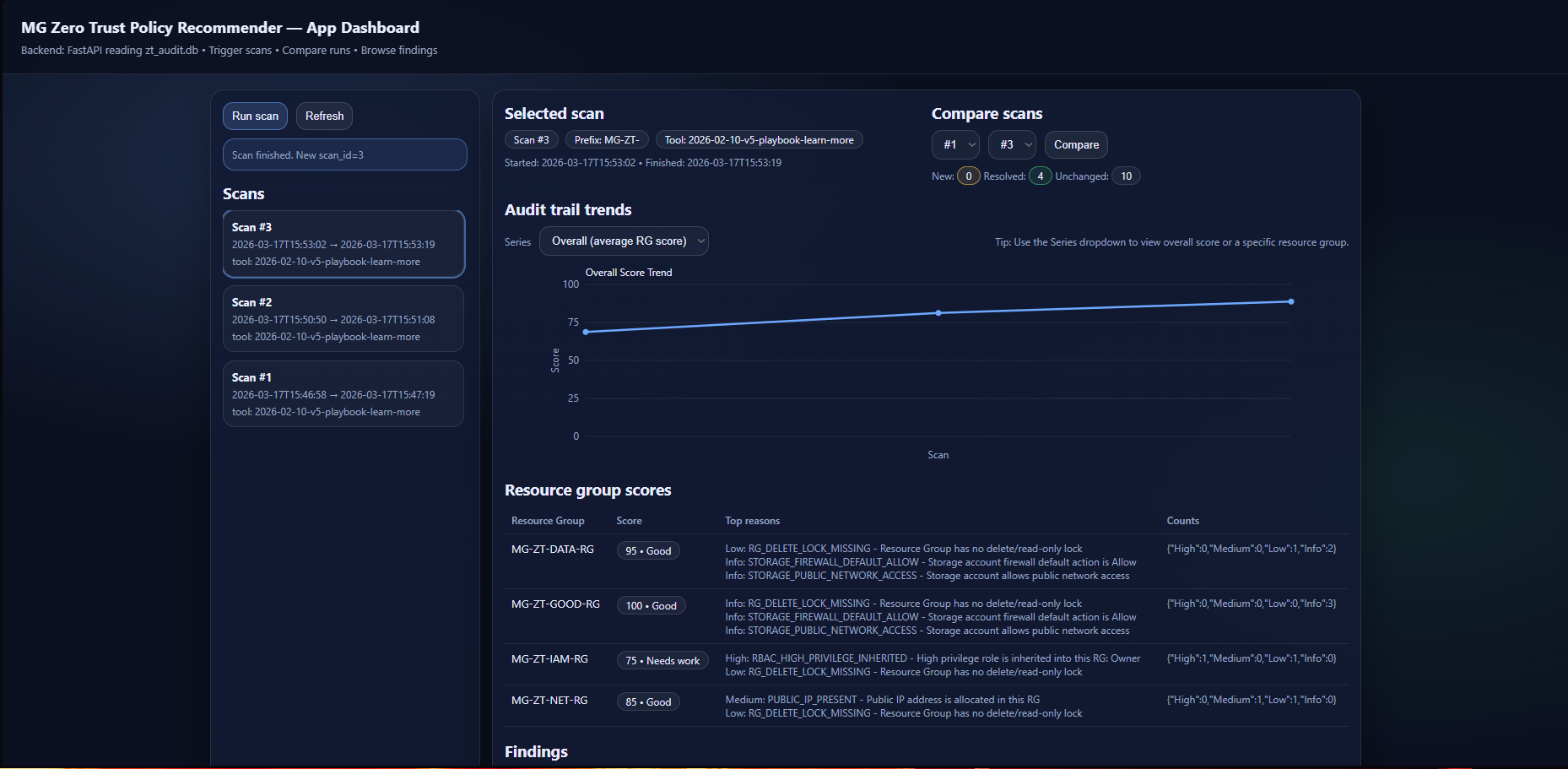
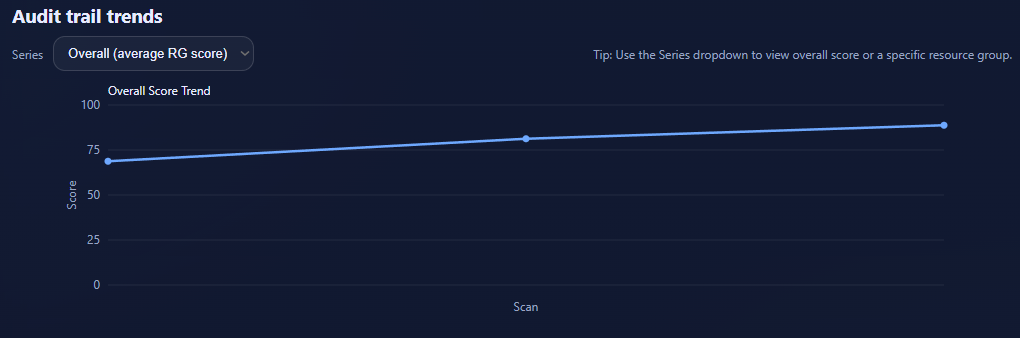
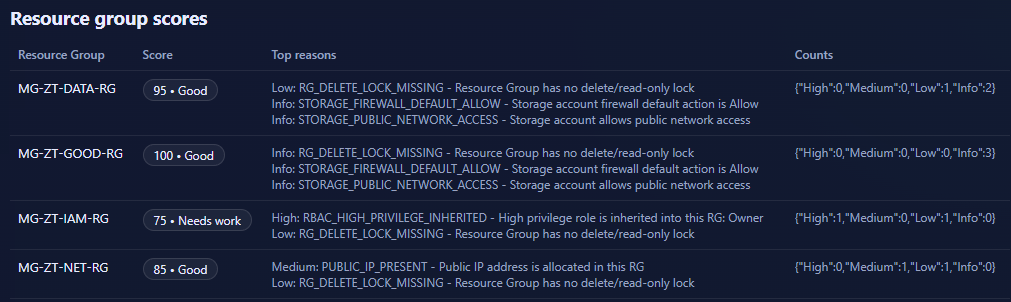
- Three scans demonstrate measurable improvement (baseline → storage remediation → network remediation).
- Scan history is stored in SQLite to provide an audit trail, scan comparison (new/resolved/unchanged), and trend graphs.
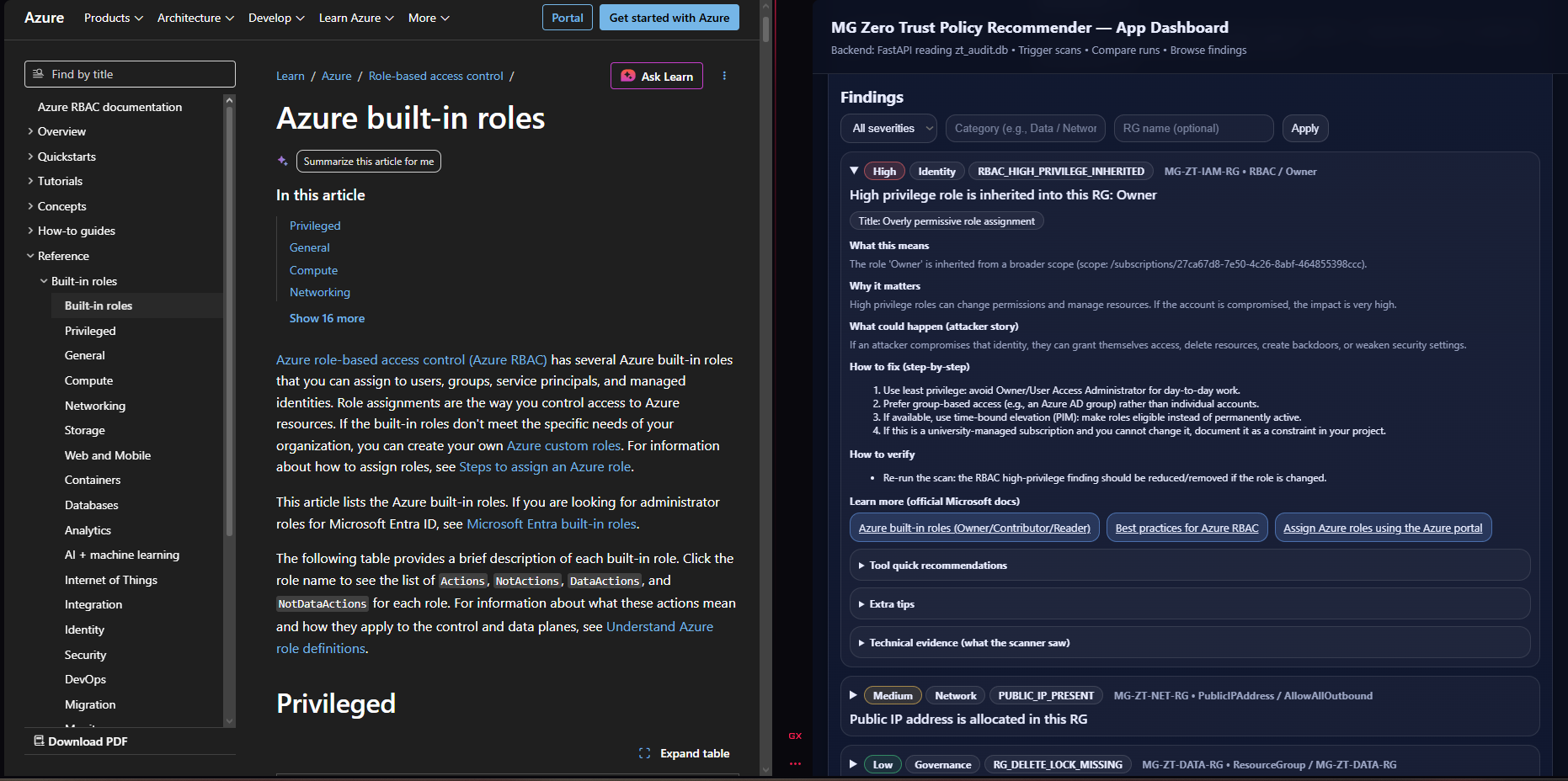
- Each finding includes beginner-friendly guidance plus official Microsoft documentation links.
Screenshots

Documentation
All documents below are included in this website folder for easy access during marking.